A coaching loop is three steps. It shouldn’t take five apps.
The coaching loop is simple: show what happened → explain what to fix → try again.
Across the workflows we heard, one review could still stretch across up to five separate tools.
Before · the workflow around that loop
Receive the clipa messenger
Watch it backa video player
Capture the momenta screenshot
Mark itan image editor
Explain the fixa chat
↯The frame, annotation and explanation lose their connection across tools.
Frame, mark and explanation stay connected.
Picks&FixOne workspace
Late catch on entry
Explanation stays attached to this frame.
Frame 2140:14 / 0:41
The coaching wasn’t fragmented. The feedback workflow was.
What research revealed
Both sides described the same broken workflow.
Exploratory interviews · 5 coaches + 3 athletes
Coach
One broken review workflow
Athlete
Repeats the same explanations.
Explaining the fix
Feedback buried in chat threads.
Rebuilds the review across disconnected tools.
Marking the movement
Comments lose the movement context.
Repeated explanations don’t become reusable knowledge.
Keeping the record
Past feedback is hard to revisit.
Feedback lost its context — and repeated fixes never became reusable.
Who we designed for
Two roles. One shared review.
The athlete
JobSubmit a training clip quickly
NeedsUnderstand exactly what to fix
ContextAround training · mobile-first
Two roles
One shared review
The coach
JobReview multiple clips efficiently
NeedsMark the exact moment and give consistent feedback
ContextBetween sessions · mobile-first
Different jobs. One shared review. Mobile-first for both sides.
Mobile-first for current workflows, with responsive layouts designed to scale to larger screens.
My role — Product Designer · small founding team
Product design from discovery to delivery.
I owned discovery, product framing, interaction and UI design, the design system, feature validation and design QA.
1
Discovery
Mapped the existing feedback workflow and key friction
2
Product framing & scope
Defined the core hypothesis, IA and MVP boundaries
3
Interaction design
User flows, prototypes and interaction behaviour
4
Feature validation
Tested the core review interaction with 10 coaches
5
UI & design system
Responsive patterns, states and reusable components
6
Delivery & alpha prep
Implementation alignment, design QA and preparation for product alpha
Repeated real-world value of the full feedback loop
03Product alpha · next
Will the complete feedback loop work in real use?
Need to learn
Can coaches review without falling back to chat?
Do athletes understand the fix without clarification?
Do both sides return for another review?
Where does the real workflow break?
Still deferred until alpha
Broader coach discovery & matching
Subscriptions & payments
Longitudinal progress
Scale & collaboration
MVP journey
From training clip to structured feedback.
Two roles, one asynchronous journey — from athlete submission to coach review and back.
Supporting setup
·Athlete profile·Connect with coach·Coach verification
Athlete submits
01 · Athlete
Send the clip
→
Coach builds review
02 · Coach
Accept review request
→
03 · Coach
Open submitted clip
→
04 · Coach
Review & annotate
→
05 · Coach
Select mistake + personalise
→
06 · Coach
Send review
→
Athlete receives review
07 · Athlete
Review feed
→
08 · Athlete
Detailed review
Early exploration
The risky moments came first. The UI detail followed.
Three mobile-first explorations shaped the MVP journey: send the clip, build the review, receive the feedback.
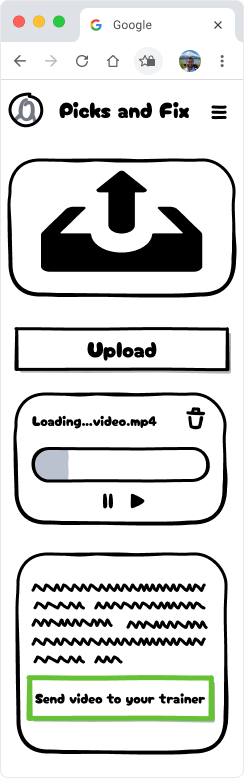
01 · Send clip
How frictionless can clip submission be?
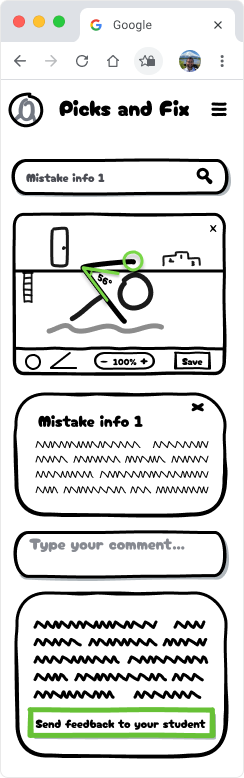
04–06 · Build the review
How do we keep feedback structured but personal?
08 · Receive the review
How does feedback stay easy to revisit?
The athlete experience
Send a clip, get a structured review back.
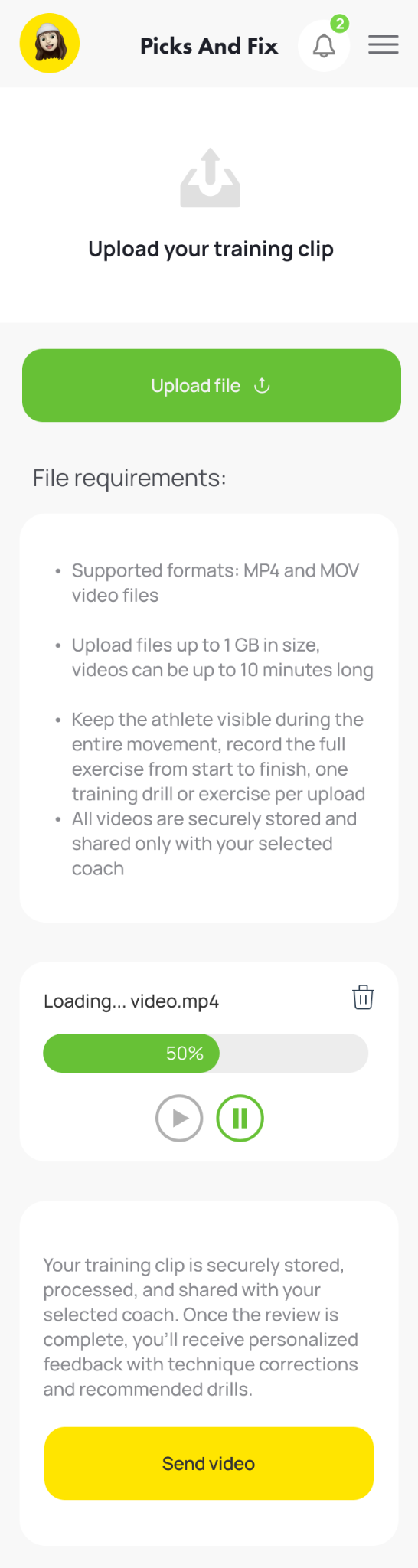
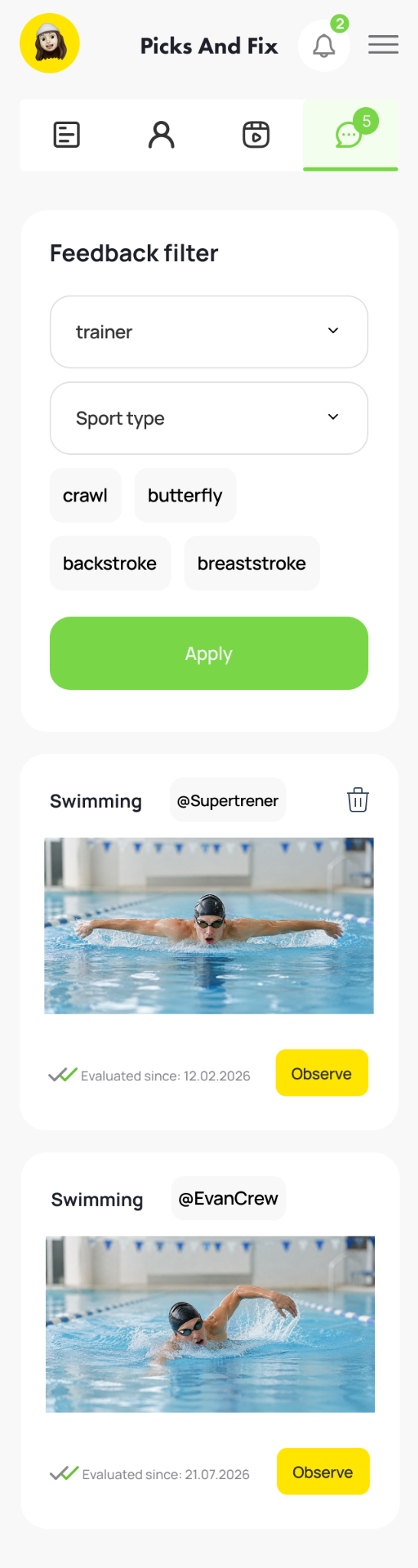
The athlete sends a training clip, receives feedback in the feed, and opens the detailed review.
01Send the clip
→
02Receive feedback
→
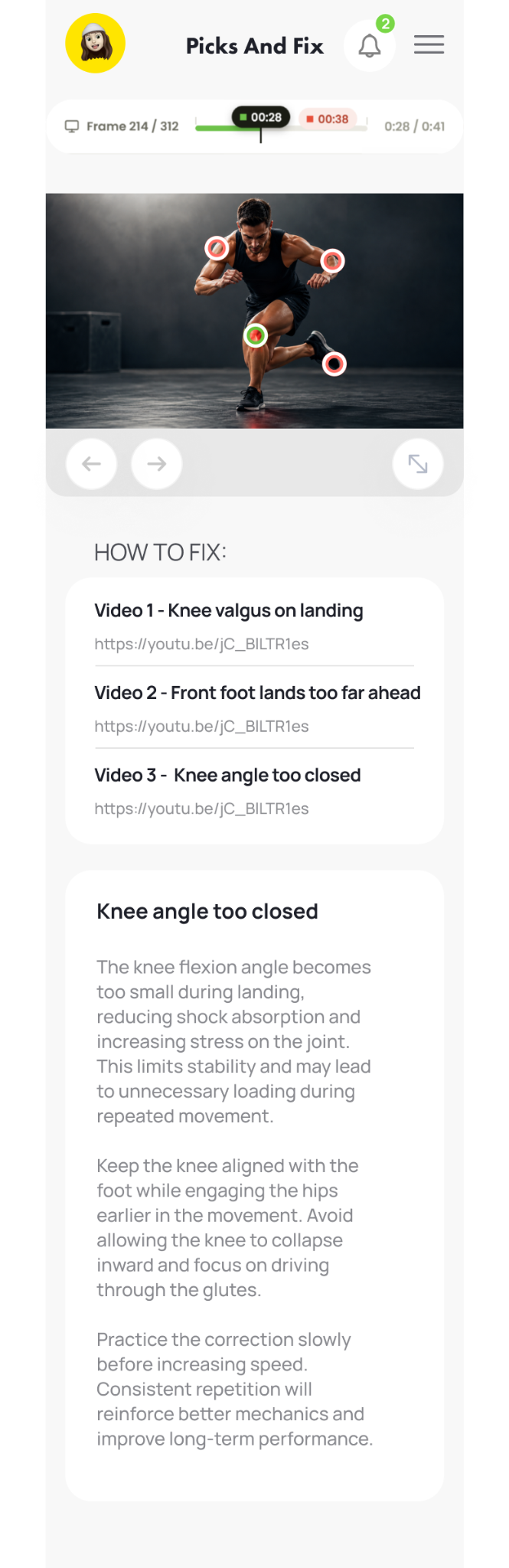
03Open detailed review
The coach experience
From incoming request to structured review.
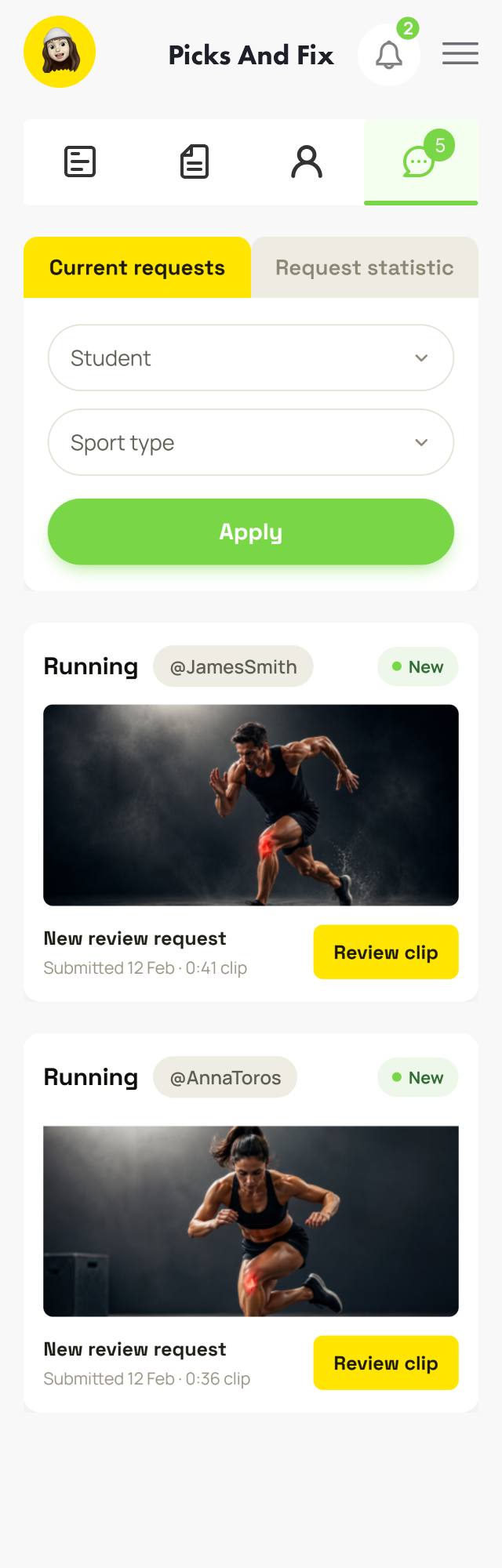
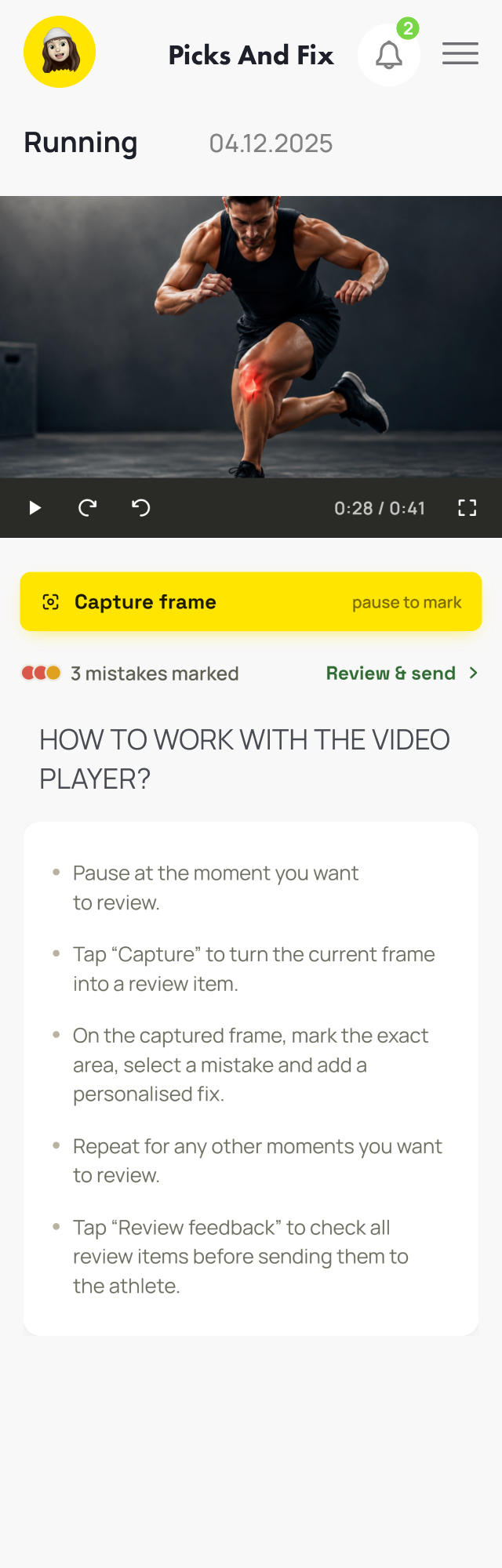
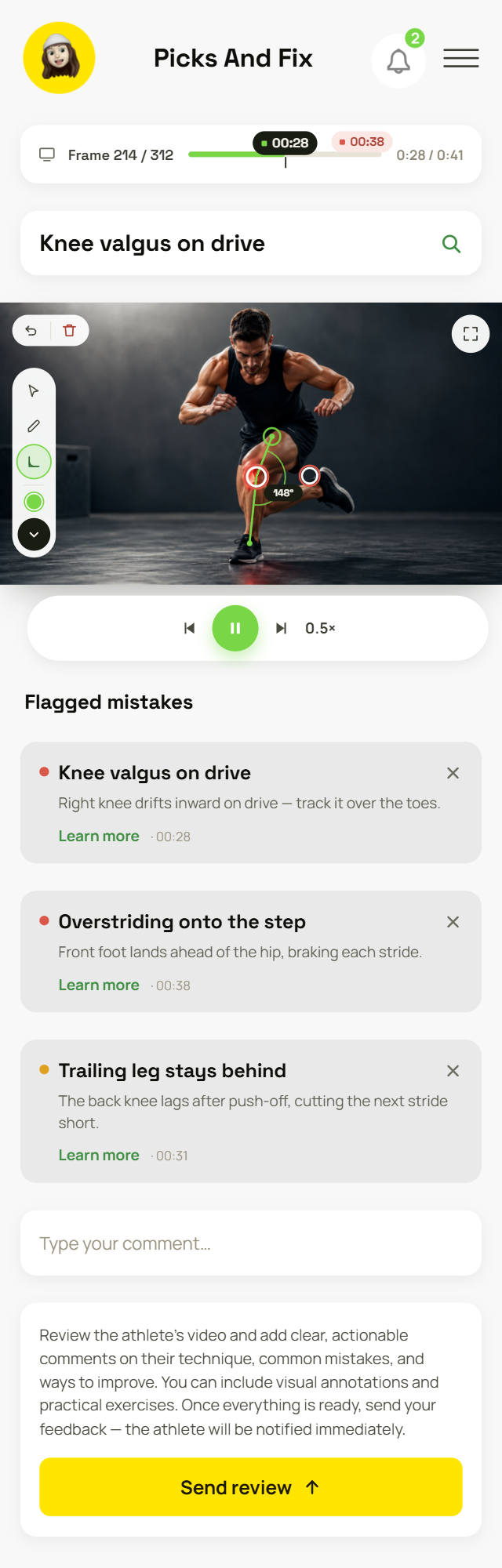
The coach reviews the clip, captures key moments, reuses shared mistakes, and sends one structured review.
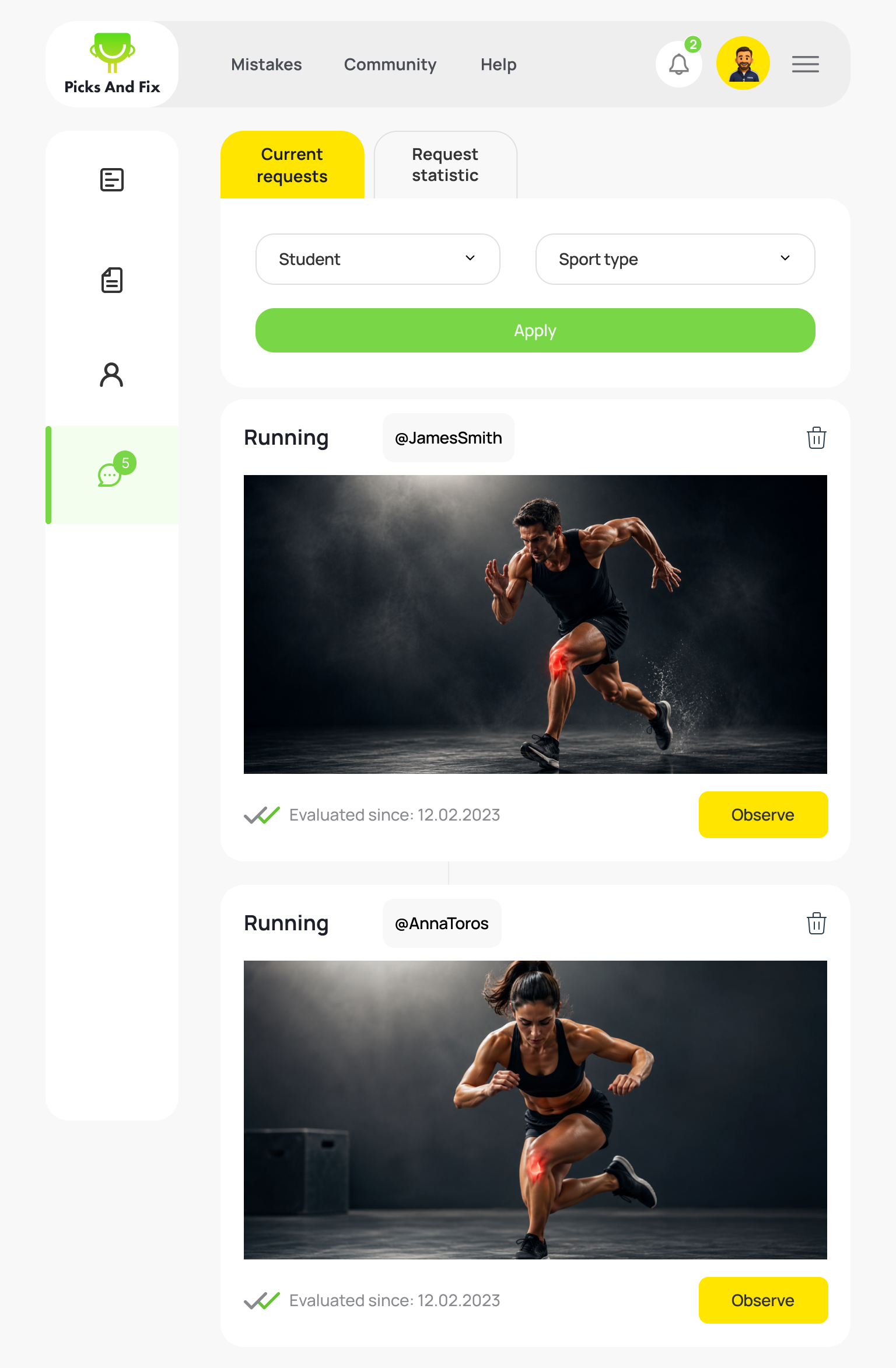
01Incoming requests
→
02Find & capture key moments
→
03Build the review
Core interaction
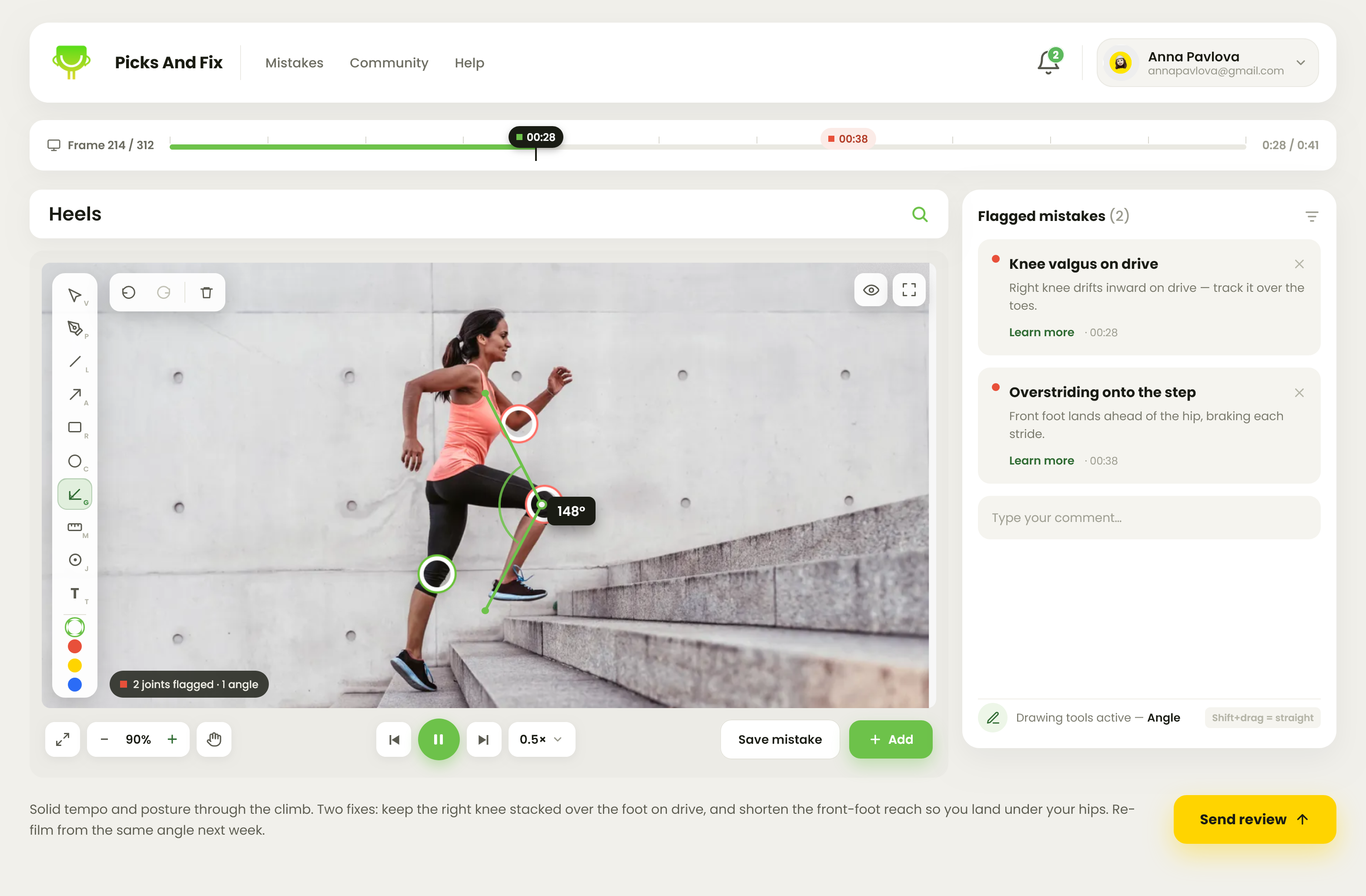
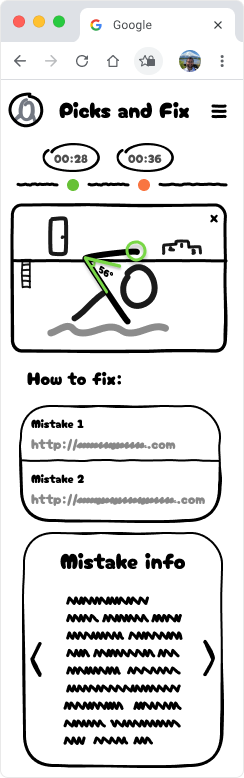
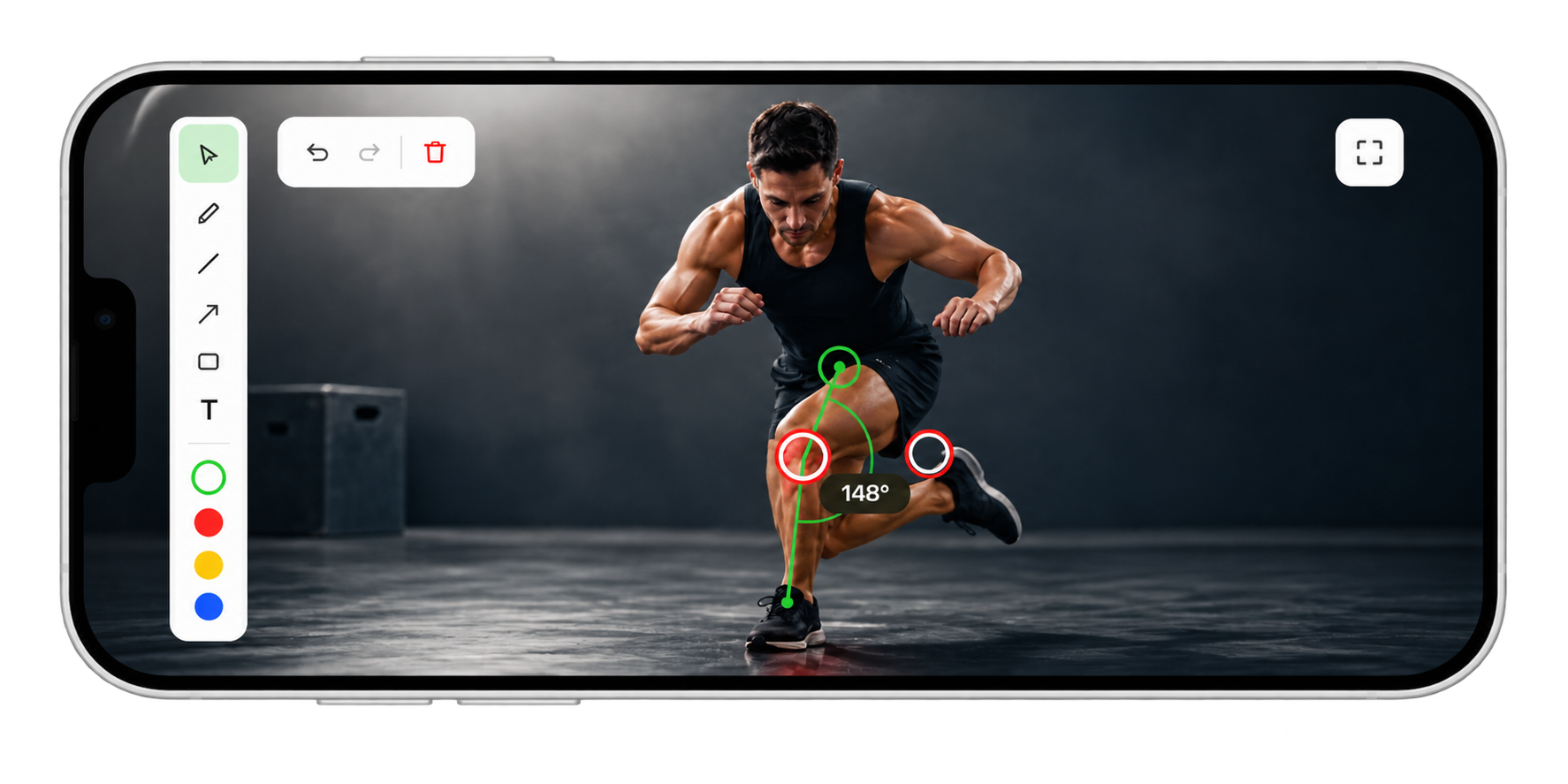
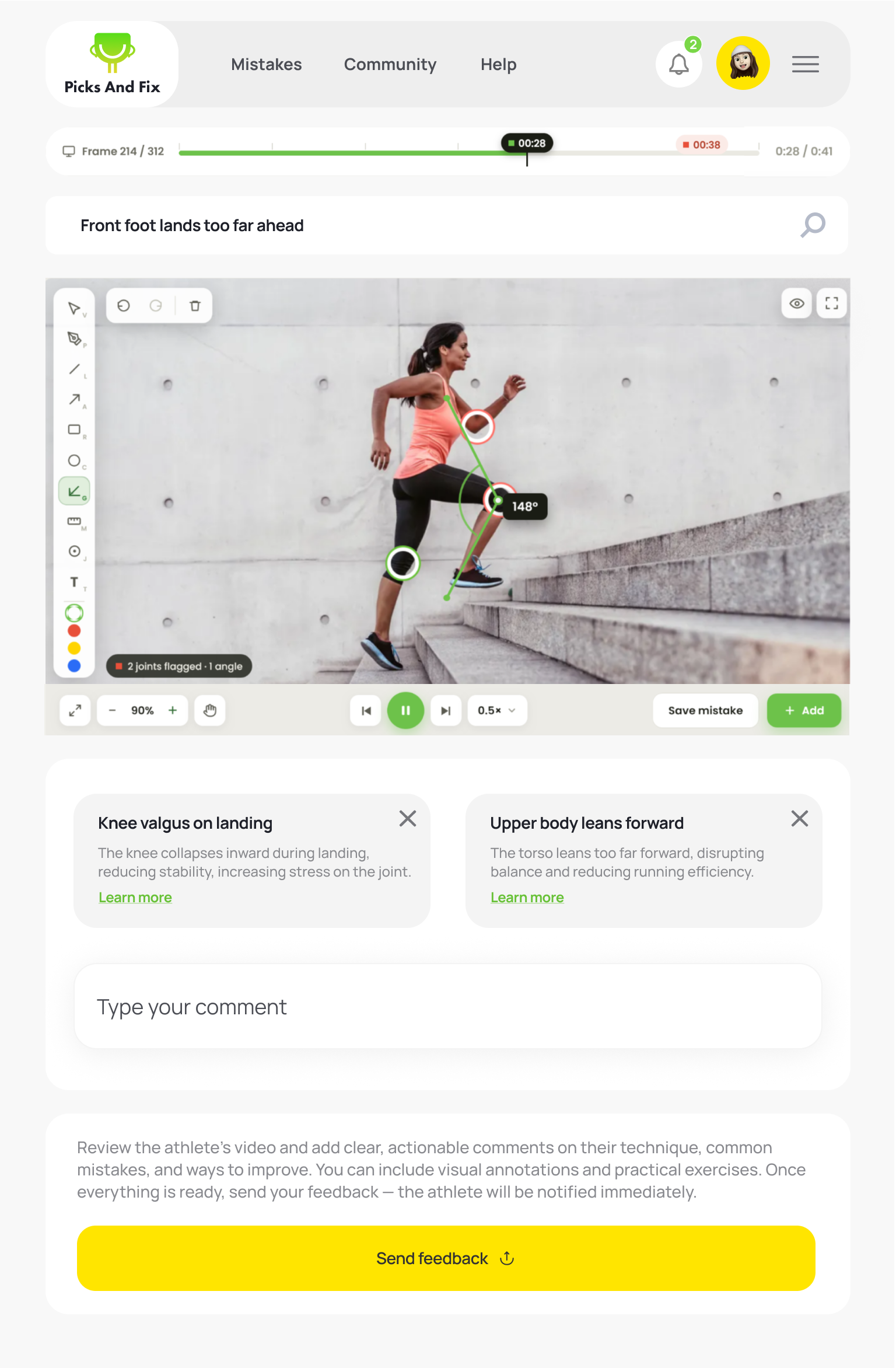
Precise feedback needs a focused workspace.
After capturing a key frame, the coach can open it in fullscreen to annotate the movement with more clarity and control.
Tap fullscreen to switch to a focused landscape workspace.
More space for precise marking
Better visibility of body position and angles
Less UI clutter while annotating
The end-to-end experience · the coach
The same loop, from the coach's side.
The coach gets verified, accepts an athlete, and resolves the clip — mistakes pulled from the shared mistake library, the review sent in one place.
Picks And Fix
MistakesCommunityHelp
2
David Keller
david.keller@gmail.com
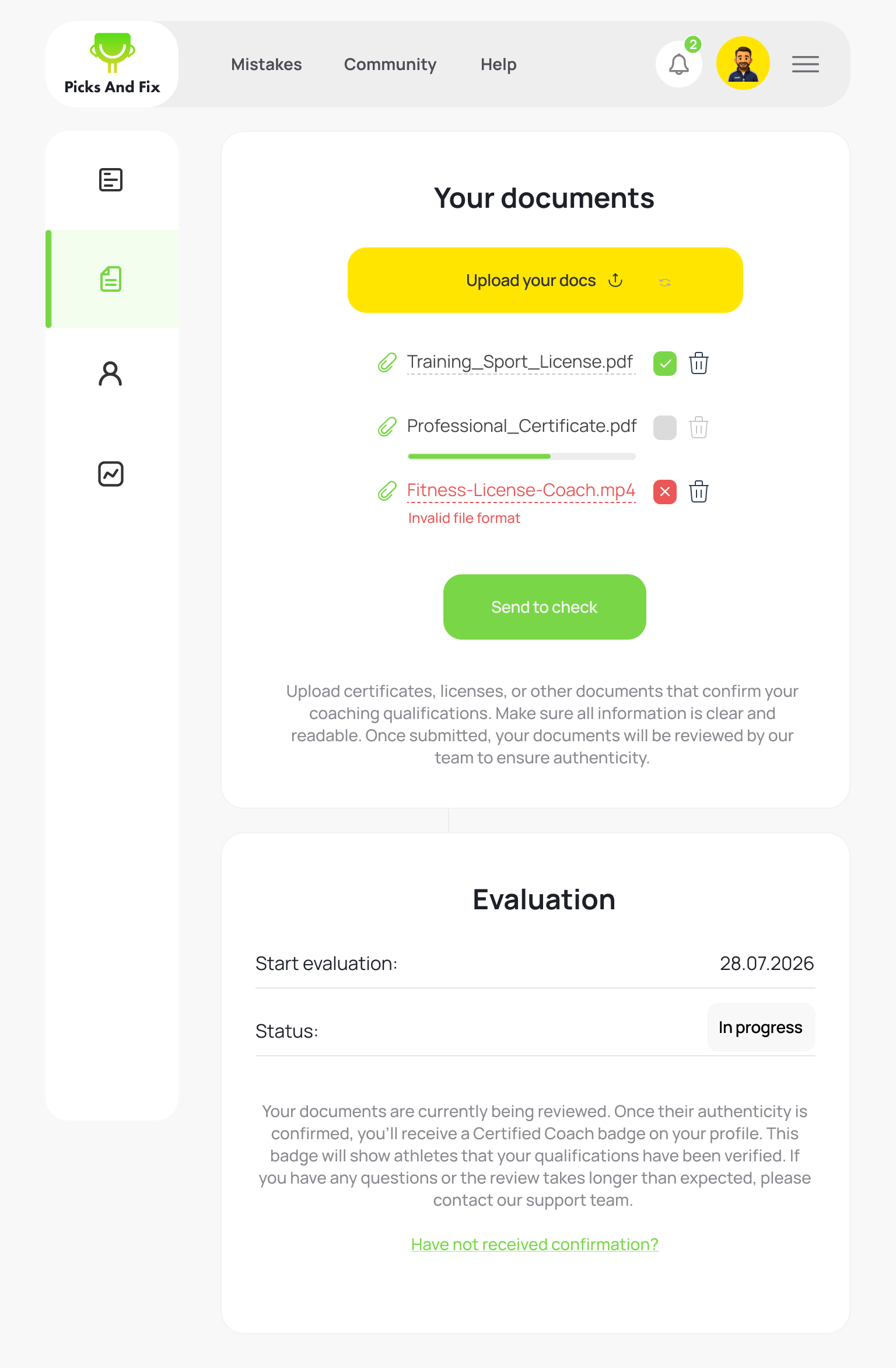
Get verified
Upload qualifications for review.
Picks And Fix
MistakesCommunityHelp
2
David Keller
david.keller@gmail.com
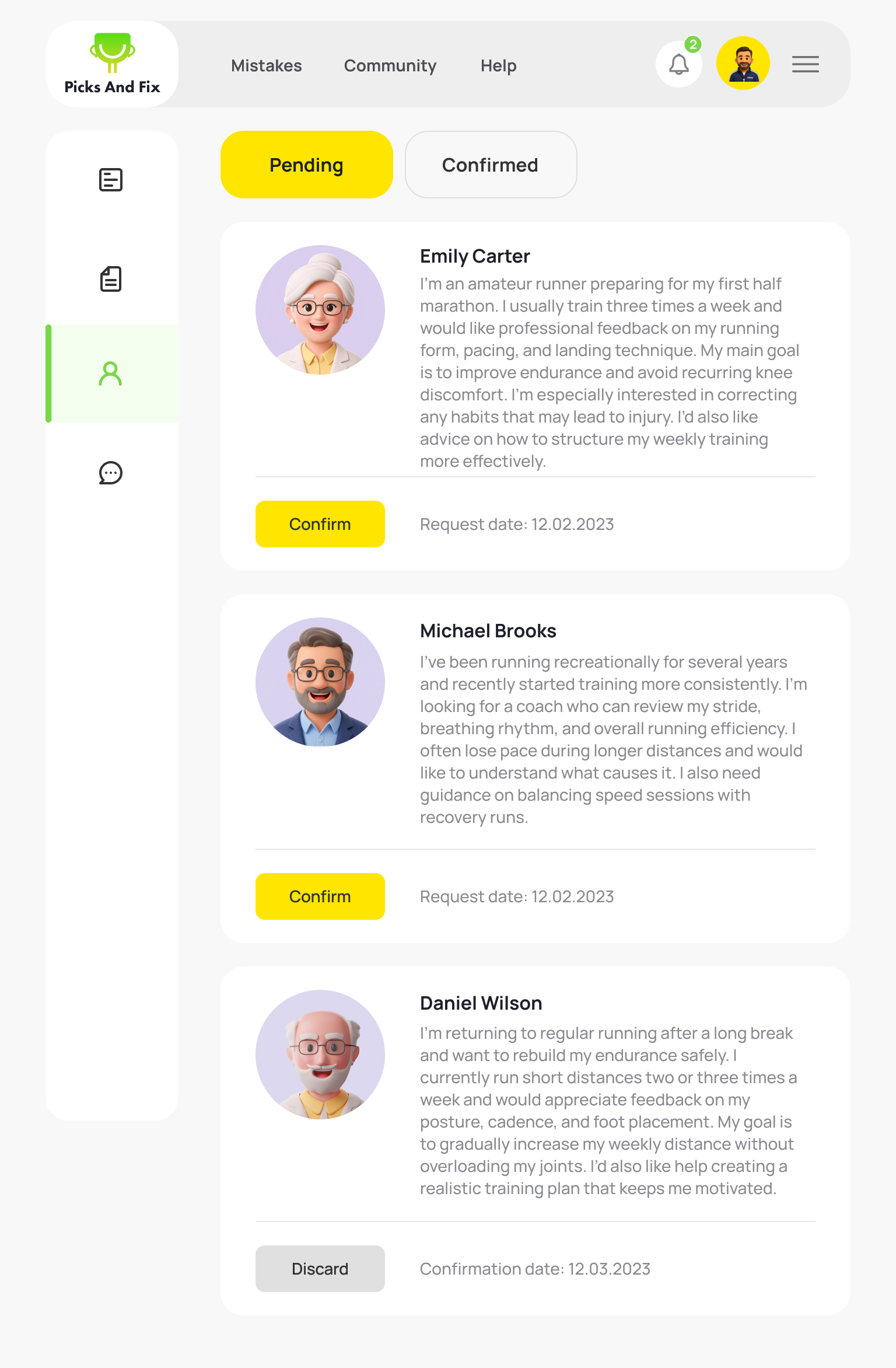
Accept an athlete
Read the request, then confirm.
Picks And Fix
MistakesCommunityHelp
2
David Keller
david.keller@gmail.com
Open the session
Pick a submitted clip to observe.
The coaching payoff
One clip in, structured review out.
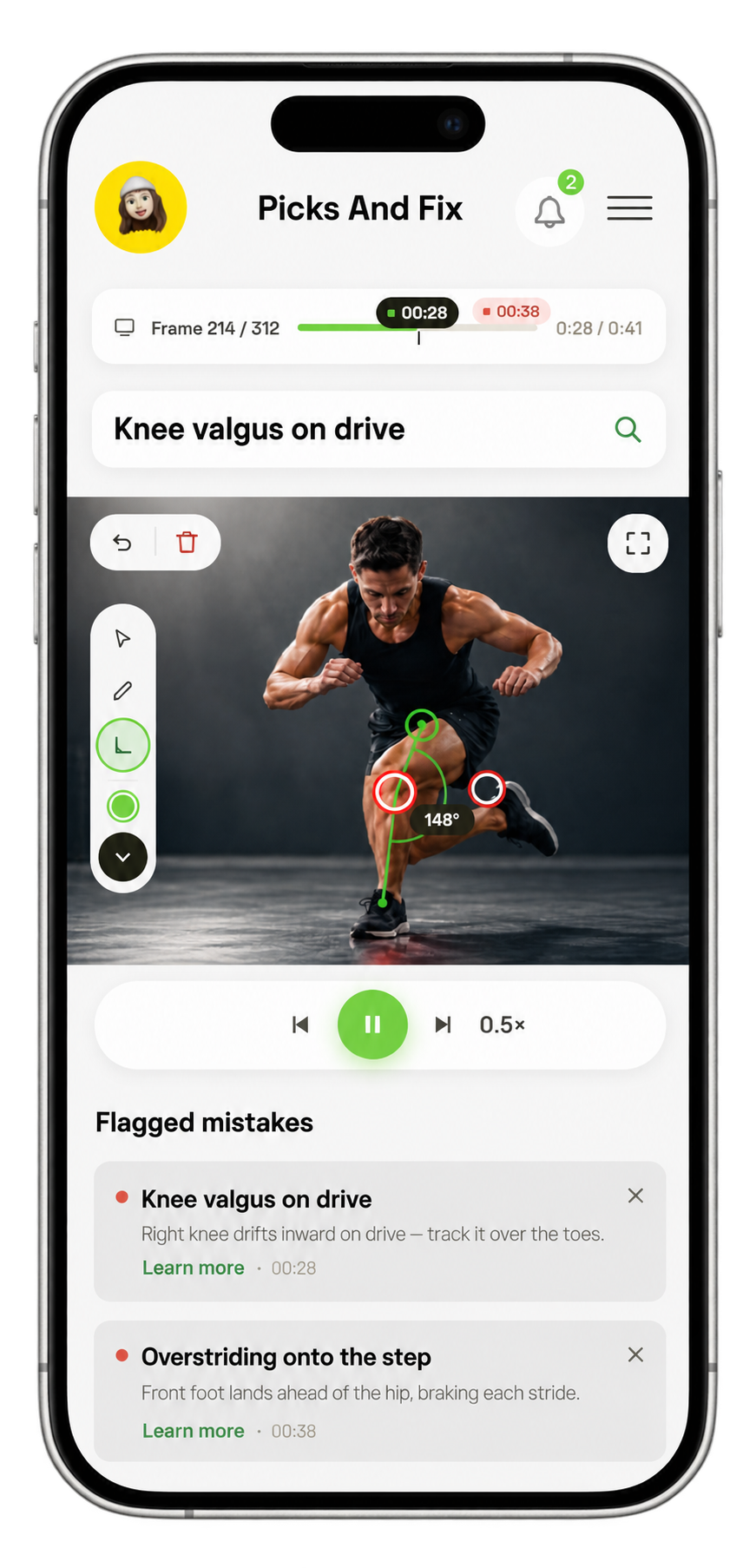
The coach marks the movement, pulls named mistakes from the shared mistake library, and sends it — the athlete receives a structured how-to-fix, not a loose note.
Picks And Fix
MistakesCommunityHelp
2
Anna Pavlova
annapavlova@gmail.com
Annotate & flag
Mark joints, pick mistakes, send.
Picks And Fix
MistakesCommunityHelp
2
Anna Pavlova
annapavlova@gmail.com
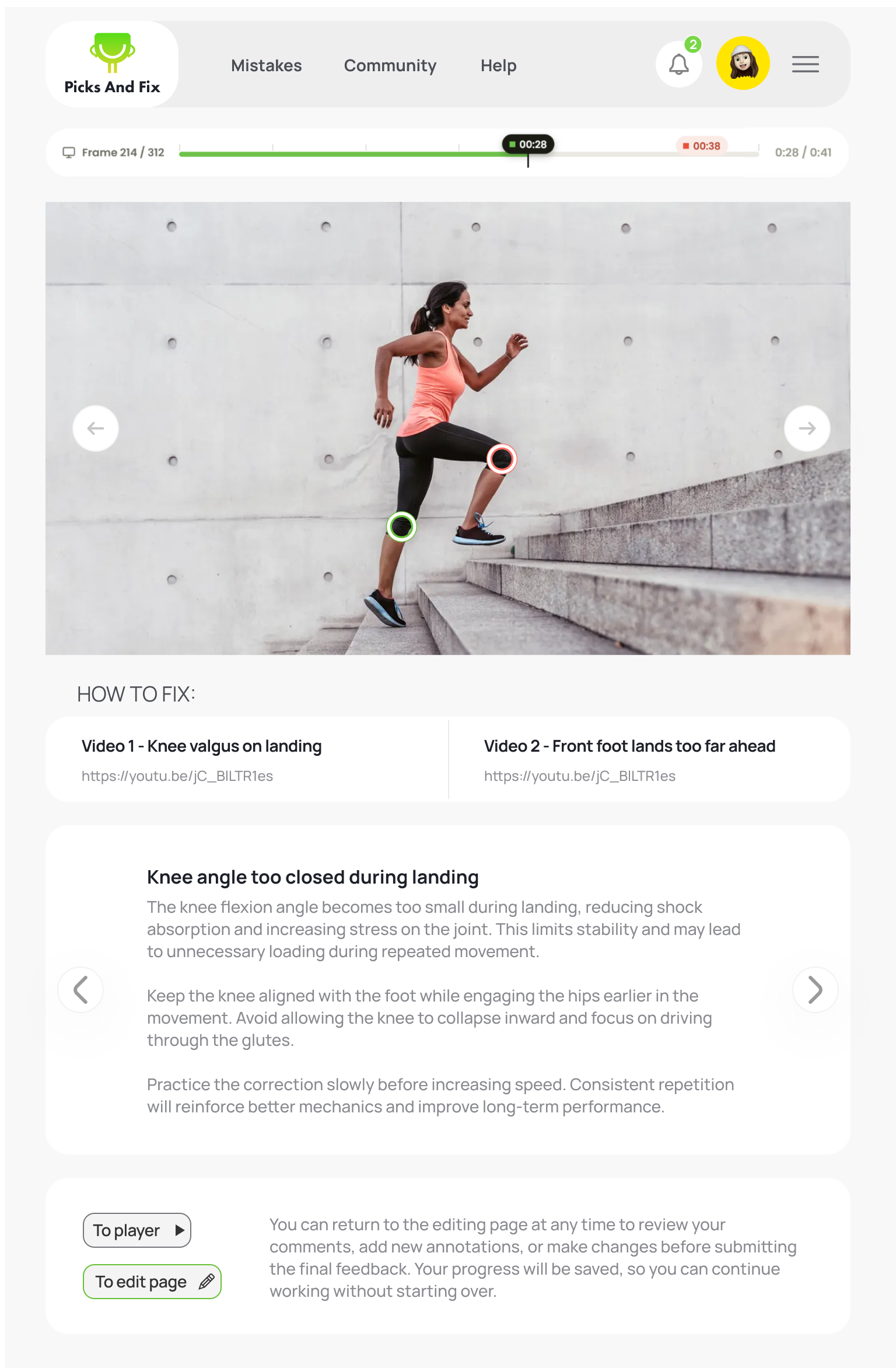
Delivered to the athlete
A structured, reusable how-to-fix.
How it evolved in build
Three problems changed the product. None came from a brief.
We scoped a deliberately small MVP, reviewed the workflow internally with coach feedback, and let recurring problems reshape it.
Hypothesis·Prototype·Internal review·Reusable system
01
Observed
Freehand marks read differently every time.
Marks became a shared vocabulary
Reviews can stay reusable and consistent.
02
Observed
Play-and-pause overshot the frame that mattered.
Reviewing became frame-accurate
Coaches can land on the exact moment.
03
Observed
Reviewing the clip was only one part of the feedback loop.
The review gained the workflow around it
Requests, context and delivery stay connected.
The first idea wasn’t the finished product. Three problems reshaped it.
The system behind it
One system — from identity to implementation.
I designed a reusable product language rather than isolated screens — identity, components and interaction patterns as a single vocabulary.
01Identity
Designed inside the product — it set the language the interface speaks.
Aa
Fixed
Action
Mistake
02Components
Built once, reused across every feature — a few parts carry the whole product.
Verified coach
Knee valgus on drive
Learn more
0:28
03Patterns
The product reuses interaction logic, not just visual elements — the same behaviour repeats across features.
Search mistake→Results open→Selected
Pick tool→Active state→Marker placed
Upload clip→Processing→Ready for review
Credentials→Verified badge→Shown in search
04One language across every touchpoint
The same system carries the coach workspace, the athlete experience, coach connection and verification.
Designed once. Carried consistently into implementation.